

Outgrowing Xero? How to Tell When It's Time for NetSuite
A difficult report, a stock count that never matches the books, or a recurring workaround can start the conversation. Find out whether your Xero setup needs a fix, an integration, or a different platform.

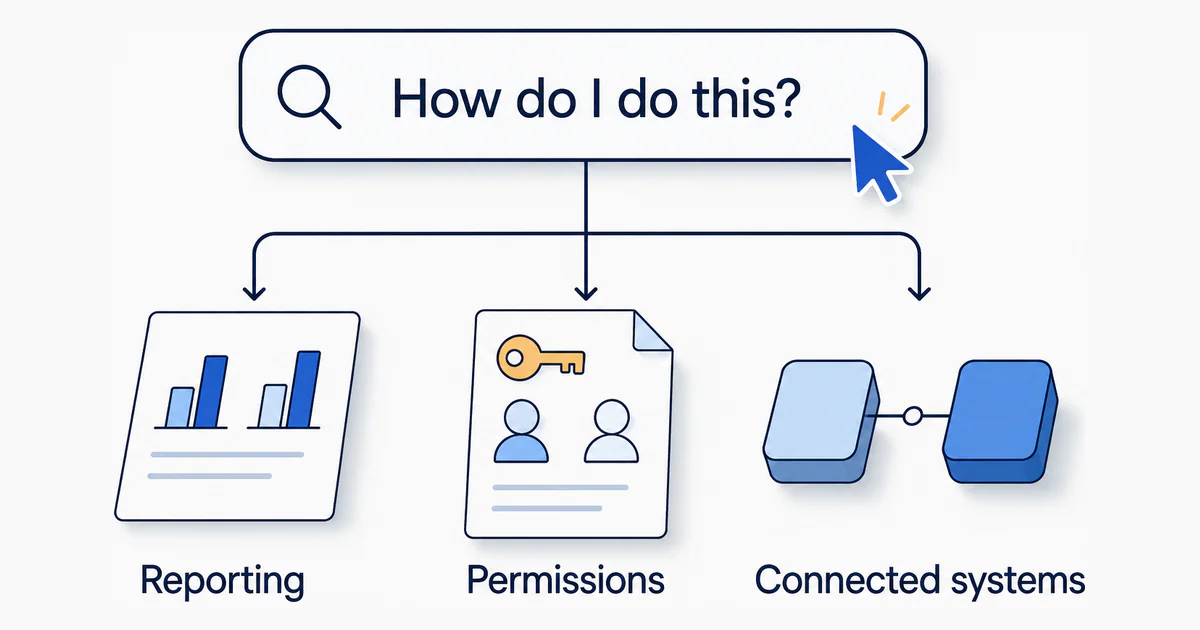
You came looking for a way to get a report out of Xero, or to make the stock count agree with the books. A few tabs later, someone is recommending an ERP implementation.
That is a big leap.
Before replacing the system your finance team uses every day, work out whether a better setup can meet your requirements or the business now needs a different platform.
Start with the question that brought you here
| The question | What you’re trying to achieve |
|---|---|
| “Can Xero report by department, region, and sales channel?” | Understand profitability without rebuilding the analysis each month. |
| “How do I consolidate several Xero organisations?” | Get a consistent view of the group. |
| “Can someone raise purchase orders without seeing other financial information?” | Delegate work with appropriate access. |
| “How do we stop correcting the same data in several systems?” | Make a change once and trust the result. |
| “Can Xero track stock in two warehouses, or by batch number?” | Know what you have, where it is, and what it cost. |
Any one of these is a reason to investigate. It does not, by itself, establish that you need NetSuite.
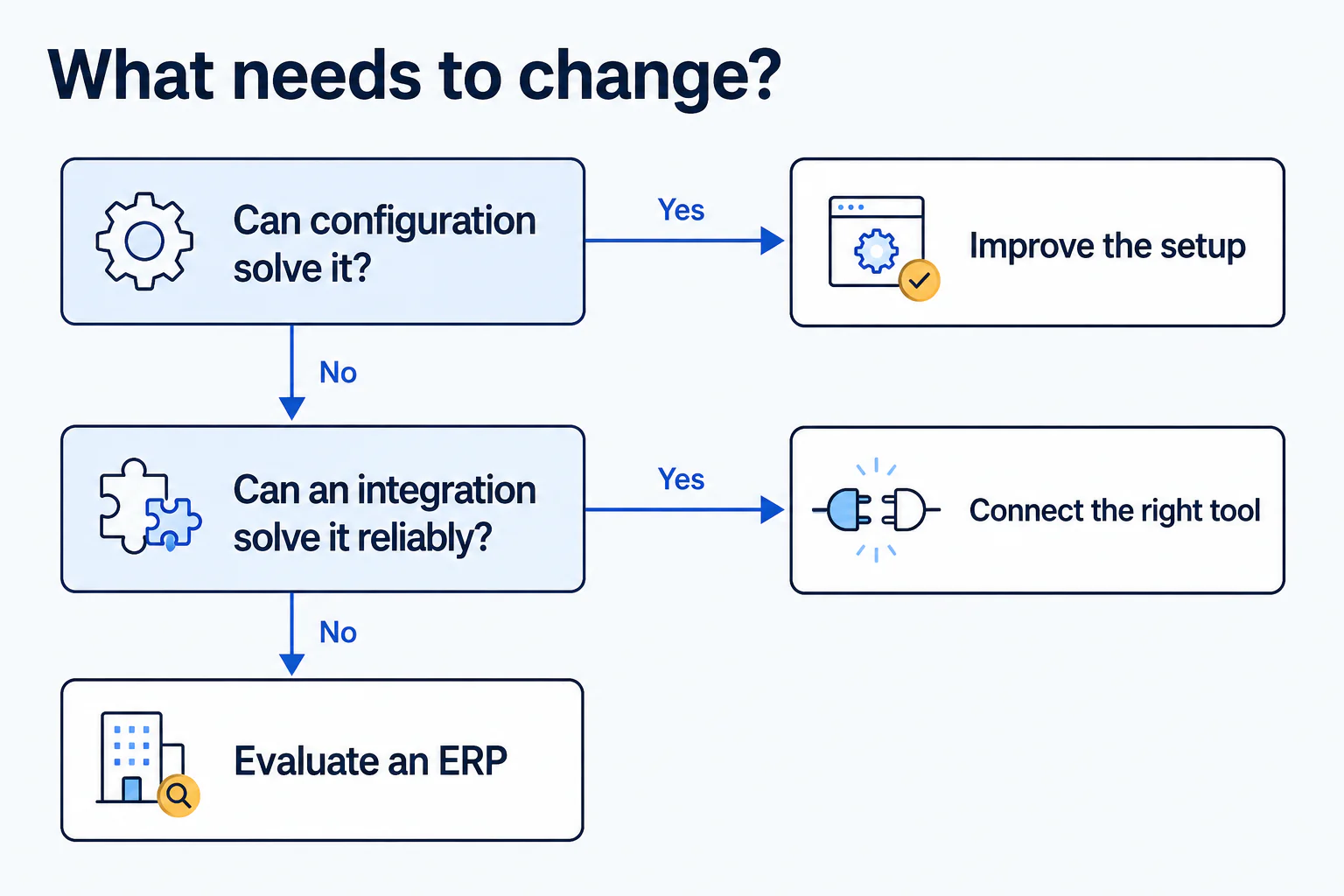
Check configuration first, then integrations, then a replacement platform. Each step costs more to try and more to undo than the one before it.
Rule out a setup fix first
Some requests that look like platform limits are settings. Suppose you want profit by business activity, side by side. Xero’s profit and loss report can compare tracking categories as columns. Xero’s Profit and Loss report guide shows how.
Others are hard limits that no setting can move:
| Area | Xero’s limit | Source |
|---|---|---|
| Dimensions | Two active tracking categories | Tracking guide |
| Approvals | Fixed roles, one approval step, no amount thresholds | Roles guide |
| Inventory | Average cost, one location, no batch or serial numbers, no assemblies | Inventory guide |
If you have hit a limit, an integration may cover it. Judge any integration on four questions:
- Preparation: What must someone clean up before the report runs?
- Corrections: What happens when a source transaction changes?
- Ownership: Who investigates when the systems disagree?
- Repeatability: Can another person follow the process successfully?
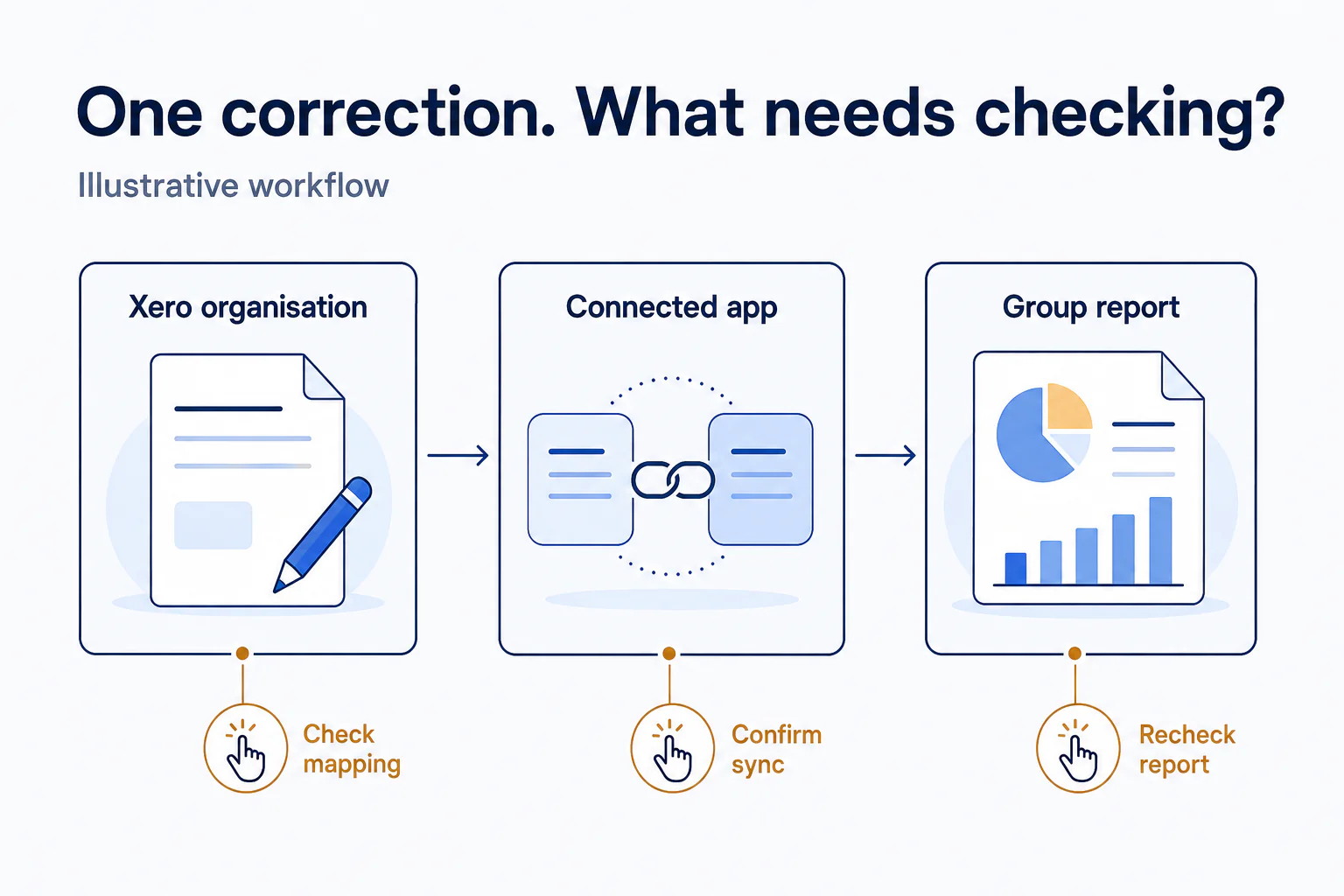
An integration that reliably produces the answer buys your Xero setup more time. One that works only after someone repairs the inputs each month has solved part of the problem. Write down the part it has not solved. That unsolved part is usually one of the limits below.
The triggers differ by what you sell
The tipping point is rarely a revenue figure. It is structural friction in how the business operates, and product businesses and service businesses feel it in different places.
Product and inventory businesses
Xero’s tracked inventory keeps an average cost per item and posts cost of goods sold when you invoice. That is the whole feature, so goods businesses that need more run an inventory app such as Unleashed or Cin7 beside Xero. In the US, Xero’s own Inventory Plus add-on plays the same role.
The wall arrives when the app-plus-Xero stack cannot do one of these:
- Warehouse detail. Which bin or shelf in warehouse B holds the item, not only how many are in stock.
- Serial, lot, or batch tracking. For quality control, expiration dates, and recalls.
- Assemblies, kitting, and bills of materials. For light manufacturing or bundling.
- Fulfillment that stays in sync. Picking, packing, and shipping that post to the accounts without stock discrepancies.
- Landed cost. Freight, customs, and duties folded into the unit cost of stock rather than kept in a spreadsheet.
Each of those is a feature of the add-on, not of Xero, and every fix is one more integration to reconcile.
In NetSuite, inventory is a sub-ledger in the same database as the accounts. Multiple locations, lot and serial numbers, assemblies, and landed cost post straight to the ledger, and the monthly reconciliation between the stock system and the books stops existing.
Service businesses
Service and software businesses rarely touch inventory limits. Their friction is in revenue and projects:
- Revenue recognized over time. Milestone contracts, subscriptions, and bundles are deferred and recognized on a schedule under ASC 606 or IFRS 15. Xero needs a manual journal every period. NetSuite’s revenue management builds the schedules from the contract, as an added module.
- Project accounting. Xero Projects tracks time and cost per job. It has no view of utilization, capacity, or work in progress, so project profitability usually ends up in a spreadsheet beside the ledger.
- Billing models. Usage-based, tiered, or changing recurring charges outgrow repeating invoices.
The walls both kinds of business hit
Whatever you sell, three scale barriers can force the move by themselves.
Multiple legal entities and intercompany
Xero needs a separate organisation, and a separate subscription, for every legal entity. Eight subsidiaries mean eight logins, eight charts of accounts, and a consolidation in Excel or a reporting tool. Xero itself offers one through Syft Analytics (overview).
That is workable while the entities are separate businesses with a shared owner. The test is whether they transact with each other. If they do:
- A management charge is an invoice in one organisation and a bill in another, entered twice.
- Stock moved between entities is a sale and a purchase.
- The balances owed between entities never reconcile themselves.
- Eliminations exist only as adjustments in the reporting tool, never in the books.
NetSuite OneWorld holds every entity in one database, with shared customers and suppliers, automated intercompany transactions and eliminations, and consolidated reporting across currencies.
Before adding the next entity, list the work to bring it in: recreate shared suppliers and customers, map its chart of accounts in the consolidation tool, mirror every intercompany invoice, assign access, explain the new eliminations. If someone owns every line, your setup still fits. If the list is long and growing, you are past what integrations can fix.
Financial controls and audit readiness
Xero is built on trust and low friction. Roles come from a fixed list, a bill has one approval step with no thresholds, and any Standard user can edit or void a past transaction unless a lock date stops them. The history records what changed. Nothing prevents it.
That suits a founder and a bookkeeper. It is also what auditors flag, and what investors, acquirers, and a public listing require you to fix. NetSuite’s answer is granular roles, multi-step approval workflows with amount thresholds, system notes on every field change, and a period close per entity.
Transaction volume
Xero is built for small-business volumes. Bank reconciliation and reporting get slower as monthly invoices, order lines, and bank feed lines climb. Online sellers and high-volume distributors reach this wall first, often before any other.
Xero plus add-ons, or NetSuite
| Need | Xero plus add-ons | NetSuite |
|---|---|---|
| Best fit | Early stage, one or a few entities, simple sales | Scaling mid-market, complex supply chains, many entities |
| Multiple entities | Separate books per entity, group reports in a separate tool | One database, automated intercompany and eliminations |
| Inventory | Basic stock tracking, operations in a third-party app | Native locations, lot and serial, assemblies, landed cost |
| Controls and audit | Fixed roles, one approval step, edit history | Granular roles, multi-step approval workflows, system notes on every change |
| Revenue recognition | Manual journals in a spreadsheet | Automated schedules, as an added module |
Recognizing the problem and sizing the solution are separate decisions. The demo is where you make the second one, and the question that keeps it honest is how much of what you need comes as standard and how much has to be added on.
Bring your hardest tasks to the NetSuite demo
Ask the implementation partner to work through each of these with representative examples from your own records:
| Bring this | Ask them to show this |
|---|---|
| Your difficult management report | Produce it, then trace a figure to the source transaction. |
| An intercompany transaction | Enter it once, then show both sides and the elimination at period close. |
| A purchasing task | Complete it using the employee’s intended permissions and approval process. |
| A correction | Change the transaction and show every affected record and report. |
| A stock movement | Receive a batch, transfer part of it, sell it. Show on-hand by location and the cost posted. |
| A contract recognized over time | Show the revenue schedule, then change the contract and show what moves. |
For multi-entity requirements, ask which capabilities depend on NetSuite OneWorld and whether Automated Intercompany Management is in scope, since it generates the second side and the eliminations.
For every demonstration, ask:
Is this standard, an added module, an integration, or custom work? And who maintains it?
Those answers tell you what you are actually buying and what you will be maintaining. A feature checklist tells you neither.
Ask for migration evidence before you move
Years of transactions can make changing systems feel risky. Break that worry into three things the project has to show you.
1. What will move
Agree on the historical periods, record types, and relationships in scope. Include attachments and supporting material explicitly. Decide what must be available in NetSuite and what can remain in an accessible archive.
2. What needs attention
Inspect the source data against the destination’s requirements. SuiteMigration’s Migration Readiness Audit runs that inspection and lists the records each finding affects.
3. How the result will be checked
Request a sandbox migration with representative records. Agree on how balances, open items, and transaction details will be compared with Xero, and who reviews exceptions before signing off.
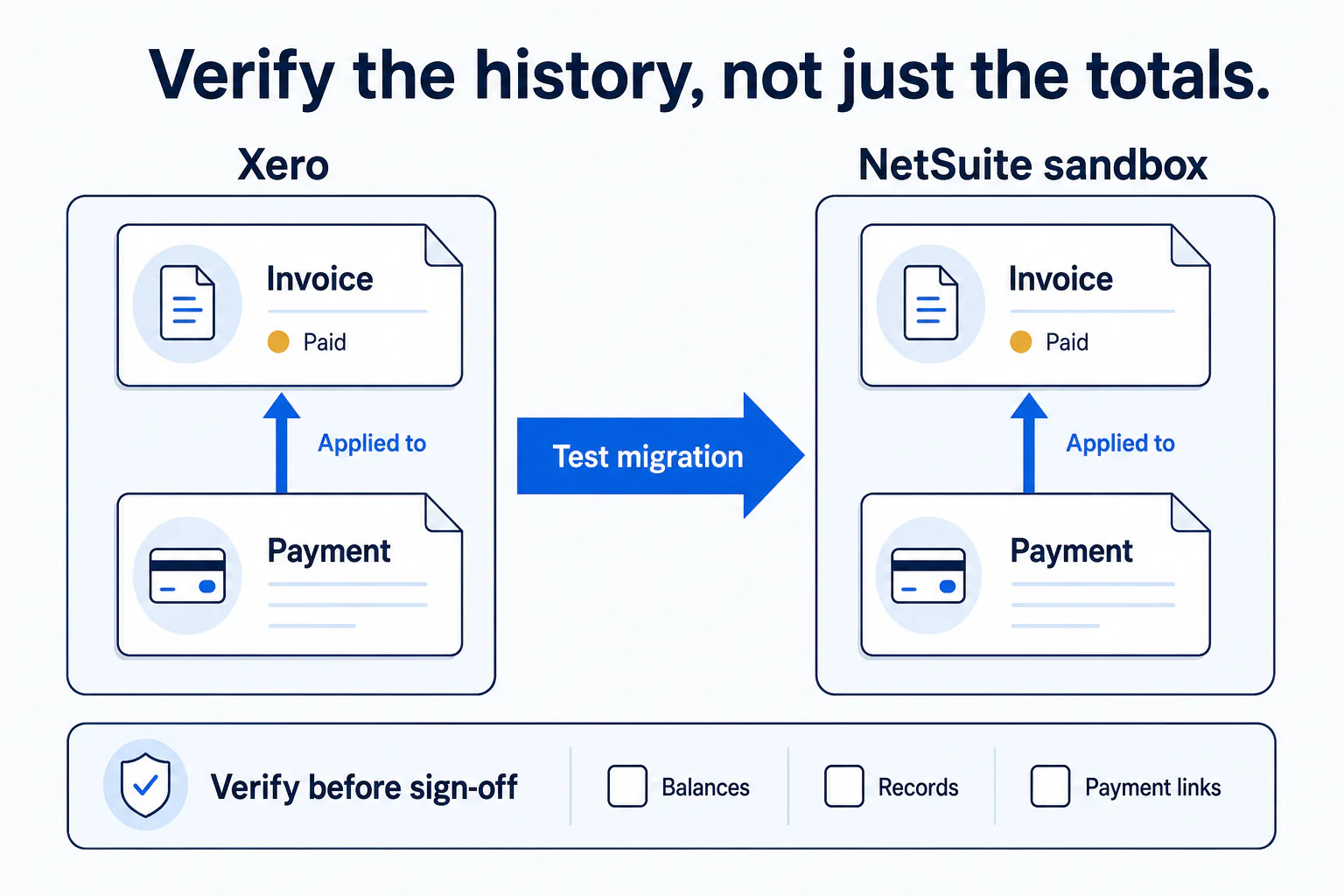
That covers the data. The wider implementation still needs decisions about reporting, permissions, integrations, and training, and that is separate work.
Before deciding, write down four things
- The work your current setup forces on you. The group report someone rebuilds each month, the stock value that never matches the books, the correction made in three places, the access you cannot grant.
- What you have already tried. The configuration change or integration, and the work each one left behind.
- What the demo proved with your own records. Your report, your purchase, your intercompany transaction, your stock movement, your correction, each traced back to the source.
- What running the new system will take. Which parts are standard and which are added modules, integrations, or custom work, and who maintains each.
If you can write all four down with specifics from your own business, you have a decision you can defend.
The one that stays vague is the one to take to your accountant or implementation partner.
Frequently asked questions
Does adding another Xero organisation mean we need NetSuite?
Not on its own. Another organisation is a reason to review consolidation, intercompany transactions, and access controls. The test is whether the entities transact with each other. If they do not, and your current tools support the group view reliably, the setup may still fit. Consider a wider change when nobody owns the recurring work, or when the control gaps are ones an auditor would flag.
Can we bring our historical Xero transactions into NetSuite?
Historical transactions can be part of the migration, but agree on the scope before assuming everything will transfer. Specify the periods, transaction types, payment relationships, and attachments you need. Ask the migration team to demonstrate representative records in a sandbox and explain any exceptions or archive requirements.
How can we assess the migration work before committing?
Review the source data against NetSuite's validation rules before anyone quotes a fee or a date. Count the records that need cleanup or a mapping decision, and write down what is excluded. Those counts size the work far better than the number of years of history does, and they tell you who needs to own each part of it.
Is there a revenue figure that means it is time to move?
No. The tipping point is structural rather than a number: entities that transact with each other, stock the add-ons cannot track, revenue that must be recognized on a schedule, controls an auditor will not accept, or volumes that slow the system. One of those at modest revenue is a stronger signal than large revenue with none of them.