

Can AI Migrate QuickBooks to NetSuite? What MCP Can and Can't Do
AI can now read QuickBooks and write to NetSuite over MCP. Here is how the plumbing works, what an agent does well, and why it cannot yet finish a migration you would sign off on.

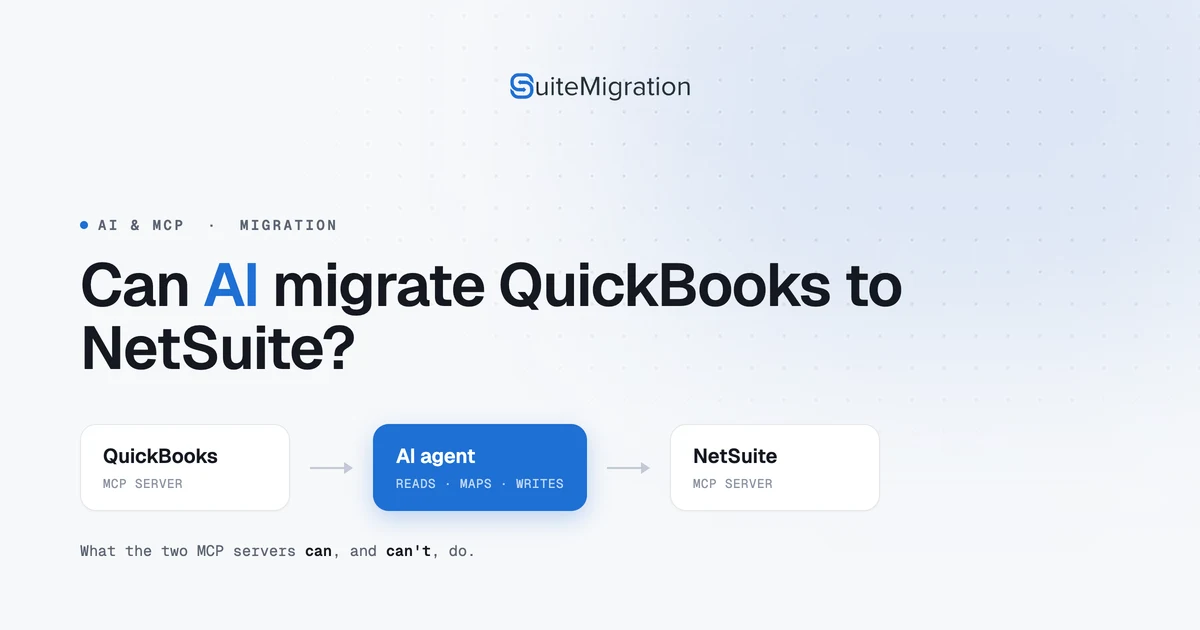
“Can I just point an AI at my QuickBooks and have it move everything into NetSuite?”
It is a fair question in 2026. You can now connect an AI assistant to QuickBooks Online and to NetSuite at the same time, ask it in plain language to move the company across, and never write a line of integration code. The pieces are real, they are official, and standing them up takes an afternoon rather than a project.
The honest answer is that an AI agent can read your QuickBooks company, map it, and create records in NetSuite, and that part genuinely works. What it cannot yet do is finish a full migration you would sign off on, and the reason is mechanical rather than a question of the model being clever enough. This piece explains how the plumbing works, what it does well, and where it stops. For what happened when we ran one end to end, see our test migration; for how this sits against the other six ways to migrate, see the full guide. This is the explainer underneath both.
What MCP actually is
MCP, the Model Context Protocol, is an open standard for connecting an AI model to outside tools and data. Anthropic introduced it in late 2024, and it has since been adopted across the industry, which is why the same approach now works whether the assistant you reach for is Claude or ChatGPT.
The idea is straightforward. A software vendor publishes an MCP server that exposes its product as a set of named tools, each with typed inputs. An AI client connects to that server, sees the tools, and calls them on your behalf when you ask for something. Instead of a developer wiring up an API by hand, the model reads the tool list and works out which calls to make. For a QuickBooks to NetSuite migration that means two servers: one in front of QuickBooks, one in front of NetSuite.
The two servers a migration would run through
QuickBooks Online. Intuit publishes an official QuickBooks Online MCP server, first shared as an early preview in late 2025. It runs locally as a subprocess on your machine and authenticates to one QuickBooks company through Intuit’s standard OAuth. At the time of writing it exposes around 145 tools across 29 entity types, with create, read, update, delete and search on the records plus 11 financial reports. That is more than enough for an agent to read a company in full.
NetSuite. Oracle’s side is the NetSuite AI Connector Service, a remote MCP server you enable in your account, together with the MCP Standard Tools SuiteApp that provides the actual tools. There are fourteen of them: create, retrieve, update and metadata on records; a handful of report and subsidiary lookups; run a saved search; and run a read-only SuiteQL query. Everything the agent does runs under a NetSuite role you assign, through an MCP Server Connection permission, so it can only see and change what that role allows.
Two things about that NetSuite tool set matter for a migration, and both are easy to miss until you hit them. There is a create tool and an update tool, but no delete tool. And every tool acts on one record at a time. There is no bulk or mass operation anywhere in the list.
What this setup does well
Pointed at the two servers, an agent is genuinely good at the early, exploratory part of a migration. It reads the QuickBooks chart of accounts, customers, vendors and items and describes them back to you. It proposes a mapping into NetSuite’s structure and explains its reasoning. It creates records one by one and reads them back to confirm the fields landed. And because the NetSuite side can run saved searches and SuiteQL, it can answer questions about what is already in the account before it writes anything.
For scoping, for a proof of concept, for checking how a sample of records will map, this beats a blank spreadsheet. It is the furthest we have seen the read-and-map side of a migration get without custom code.
Where it falls short of a real migration
The gap is not intelligence. It is the shape of the tools.
One record at a time, with no bulk path. Both servers work a record at a time. QuickBooks Online’s API is rate limited to around 500 requests a minute, and the NetSuite standard tools have no bulk create. A few hundred records is fine. A real company runs to hundreds of thousands of transactions, and at one call each the clock becomes the problem. In our own run, records landed at about four seconds each, which works out to roughly twelve hours per ten thousand records before anyone reviews the result.
No rollback, and no delete. The NetSuite standard tools create and update, but they cannot delete. If a run goes in wrong, there is no built-in way for the agent to take it back out. You are cleaning up by hand, or with a separate tool, in the account that is meant to become production.
Failures that do not announce themselves. This is the one that matters most. An AI agent reports what its tools return, and a tool that returns success is reported as success. When we ran a real migration this way, every call came back successful and the run report said the invoices had carried their tax. Tax had in fact posted as zero on every invoice, and receivables were 441.84 short. Nothing errored, so nothing warned us. A model narrating its own tool calls has no independent way to know the books are wrong, and a tied trial balance will not catch it either.
No reconciliation of its own. Nothing in either tool set compares what posted against what it came from, record by record. That check is the whole difference between a migration that looks done and one that is done, and it is exactly the part an agent cannot supply about its own work.
So, can AI migrate QuickBooks to NetSuite?
For a demo company, a proof of concept, or the mapping and read-side checks ahead of a real migration, yes, and it is worth trying. For a full history you have to stand behind at month-end, not yet. The tools are built for an assistant that answers questions and makes individual changes, not for moving a quarter of a million linked transactions and proving every one of them landed.
That is not a permanent verdict. The servers are new and improving quickly, and the read-and-map side is already strong. But the parts a migration actually turns on, volume, rollback and proof, are the parts still missing. MCP is one of seven ways to move a QuickBooks company into NetSuite: the guide sets it beside the others, and our test run shows what today’s version does the moment you hold it to a real reconciliation.
Frequently asked questions
Can AI migrate QuickBooks to NetSuite?
An AI agent connected to both systems over MCP can read a QuickBooks company, map it, and create records in NetSuite one at a time, which is useful for scoping, demos, and small datasets. It cannot yet finish a full-history migration you would sign off on, because the tools work one record at a time, cannot delete or roll back, and do not reconcile what posted against the source.
Is there an official QuickBooks MCP server?
Yes. Intuit publishes an official QuickBooks Online MCP server, first shared as an early preview in late 2025. It runs locally, authenticates to one company through Intuit's OAuth, and exposes around 145 tools across 29 entity types with create, read, update, delete and search, plus financial reports.
Does NetSuite support MCP?
Yes. NetSuite has an AI Connector Service that speaks MCP, together with an MCP Standard Tools SuiteApp that provides fourteen tools for creating, retrieving and updating records, running reports and saved searches, and running read-only SuiteQL. Everything the AI does runs under a NetSuite role you assign, and there is no delete tool and no bulk operation.
Can Claude or ChatGPT move my books into NetSuite?
With the QuickBooks and NetSuite MCP servers connected, an AI client such as Claude or ChatGPT can read one system and create records in the other. The limits are the same whichever model you use: one record per call, no bulk path, no rollback, and no independent check that what posted matches the source.
Is it safe to let an AI agent write to NetSuite?
The NetSuite side runs under whatever role you assign the MCP connection, so the agent can only see and change what that role allows, which is the right place to limit it. The larger risk is not access but silent error: a tool that returns success is reported as success, so a posting that is wrong in a way NetSuite still accepts can pass without warning. Test in a sandbox and reconcile record by record before trusting a result.
How long would an AI migration take?
At one record per call and roughly four seconds a record, about twelve hours per ten thousand records, before any review. For a few hundred records that is nothing. For a company with hundreds of thousands of transactions it becomes the constraint, which is why the approach suits demos and samples rather than full history.