

Duplicate Vendors and Items in NetSuite OneWorld: Should You Merge Them?
If you're bringing multiple QuickBooks companies into one NetSuite OneWorld account as separate subsidiaries, you'll probably run into this: a vendor or item name NetSuite says already exists, because it checks uniqueness for the whole account, not per subsidiary. Merging looks like the obvious fix. This post walks through why that's worth reconsidering, and what to do instead, by hand or with a migration tool.

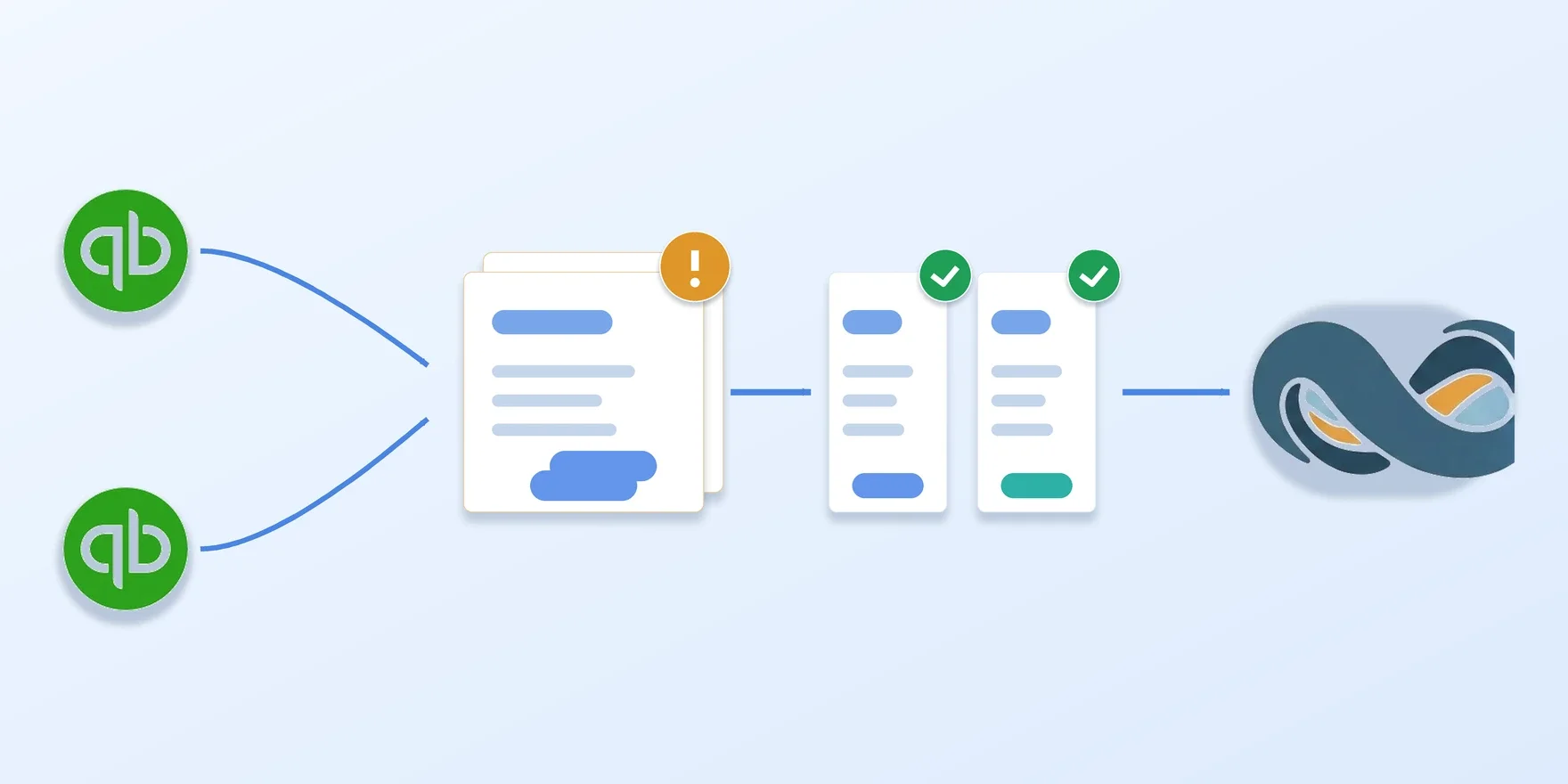
Say you’re consolidating three subsidiaries into one NetSuite OneWorld account. Each has been keeping its books in its own QuickBooks Online company up to now, and the plan is to bring all three in under one OneWorld instance. So you export each QuickBooks company’s vendors, items, and transactions to CSV, and import them into NetSuite one subsidiary at a time.
The first subsidiary imports cleanly. Partway through the second, rows start failing: a vendor throws “There is already a vendor using that entity name.” An item throws “There is already an item with that name or name/parent combination.” Neither QuickBooks company did anything wrong. The vendor and item lists you’re importing are exactly what they’ve always been. The error is about something already sitting in NetSuite from the first subsidiary’s import.
Part 1: Why the same vendor or item name collides across subsidiaries
Why OneWorld doesn’t give each subsidiary its own vendor list
OneWorld’s whole pitch is that one account can run multiple subsidiaries side by side: separate books, separate currencies, separate reporting, all under one roof. It’s natural to assume vendors and items get the same separation: subsidiary A’s list, subsidiary B’s list, kept apart the way two QuickBooks companies were.
They don’t, and it’s easy to assume otherwise. A vendor record can be shared across multiple subsidiaries, but it’s still one record, in one account-level list, not a separate list per subsidiary. Two subsidiaries can each transact against the same vendor record, but they can’t each have their own vendor record with the same name. So NetSuite requires every vendor’s entity name to be unique across the whole account, and every item’s name/number to be unique the same way: account-wide, not per subsidiary.
Two subsidiaries landing on the same vendor or item name isn’t rare. Common vendor names repeat constantly: a regional phone company, a payroll processor, a shipping carrier used by every location. Two catalogs can just as easily both stock something called “Pump.” QuickBooks never noticed, because each subsidiary was its own separate company file with its own separate vendor list. NetSuite notices immediately, because as far as NetSuite is concerned, it’s all one account now.
What happens when the import hits it
Both vendors and items fail the same way here: a hard rejection, not a warning. NetSuite’s CSV import drops the offending row into the import’s error log (nothing gets created) and you have to resolve it before that row will go in. It’s not subtle. You find out the moment you run the import.
Part 2: Before you merge them
The instinct to merge them
Staring at that error, the obvious move is: NetSuite already has a vendor called “Cal Telephone,” so that must be the same vendor. Point subsidiary B’s transactions at the existing record instead of fighting to create a new one. Either edit the CSV to reference the existing internal ID directly, or import it as a new record and merge the two afterward.
But the name matching doesn’t actually tell you the two vendors are the same business. Subsidiary A might deal with a regional franchise of “Cal Telephone” on completely different terms than subsidiary B does, or the two might just happen to buy from unrelated vendors that picked the same name. You can’t tell which from the collision alone, and neither can NetSuite.
That’s worth getting right, because the fix isn’t a small one to undo. NetSuite’s own help docs say plainly that merging vendor records is irreversible: fold two subsidiaries’ histories into one vendor, and there’s no supported way to pull them back apart.
What merging actually blends together
You’d expect the second cost to be reconciliation, and it isn’t, not if reconciliation is done right. The discipline described in our piece on reconciling a QuickBooks-to-NetSuite migration, that every source record should map to exactly one clean destination counterpart, keeps working whether the vendor is shared or not, as long as the check is scoped to what each subsidiary actually pushed. Subsidiary A’s bills are still subsidiary A’s bills, however many other subsidiaries the vendor record is shared with.
What actually gets blended sits upstream of reconciliation. NetSuite tracks a vendor’s balance and default transaction list at the level of the vendor record itself: one Balance field, one list, on that one entity. Merge subsidiary A’s and subsidiary B’s “Cal Telephone” into it, and both subsidiaries’ bills land on that same record. Open the vendor from NetSuite from then on and you get a blended figure by default. Getting a subsidiary-specific view back means remembering to filter by subsidiary every time, instead of it being the only thing a distinct record could ever show you.
Part 3: Naming them apart, and deciding on merging later
Giving each one its own name
The fix isn’t to merge. It is to give each subsidiary’s colliding vendor or item a name NetSuite can tell apart from the other. Append something that identifies the source: a subsidiary code, a short suffix, whatever convention you’d recognize later. “Cal Telephone” from subsidiary A’s import becomes “Cal Telephone SubA”; from subsidiary B, “Cal Telephone SubB.” Two distinct NetSuite records, each still mapping one-to-one back to exactly one QuickBooks source record.
That’s what keeps NetSuite’s own view of each vendor clean: subsidiary A’s balance and activity live on “Cal Telephone SubA,” subsidiary B’s on “Cal Telephone SubB,” each readable on its own with no filtering required, and each still mapping one-to-one back to exactly one QuickBooks source record for reconciliation to check.
The one thing you actually get to choose is when
You can still combine the two vendors later if it turns out they really are the same business. This just isn’t the moment to decide that. Wait until both subsidiaries are fully in and reconciliation shows everything tying out, and you’ll actually have enough to go on, rather than guessing because an import row happens to be sitting there red.
It’s worth being honest that the merge doesn’t get any safer with time. A month from now it’s exactly as one-way as it would be today. The only thing that’s different is whether you’re guessing when you do it. There’s no real cost to waiting a few weeks to find out. Guessing wrong and merging anyway can cost you a transaction history you won’t get back.
Where doing this by hand starts to strain
For two subsidiaries with short vendor and item lists, this is manageable by hand: check the new subsidiary’s list against what’s already in NetSuite, edit the colliding names in the CSV before you import, run your own reconciliation check after.
Past that, it starts to fall apart. Every new subsidiary has to be checked against everything already imported, not just against itself, and a name that was fine when subsidiary B went in can suddenly collide once subsidiary D shows up. Nothing in NetSuite shows you every collision across every subsidiary in one place, so you end up rebuilding that picture by hand, every time.
How SuiteMigration handles it
SuiteMigration runs this checking automatically, across a whole project rather than one import at a time. It looks at every migration whose destination resolves to the same NetSuite account and flags any vendor or item name that collides, whether the collision is between two subsidiaries or between two records inside one subsidiary’s own data.
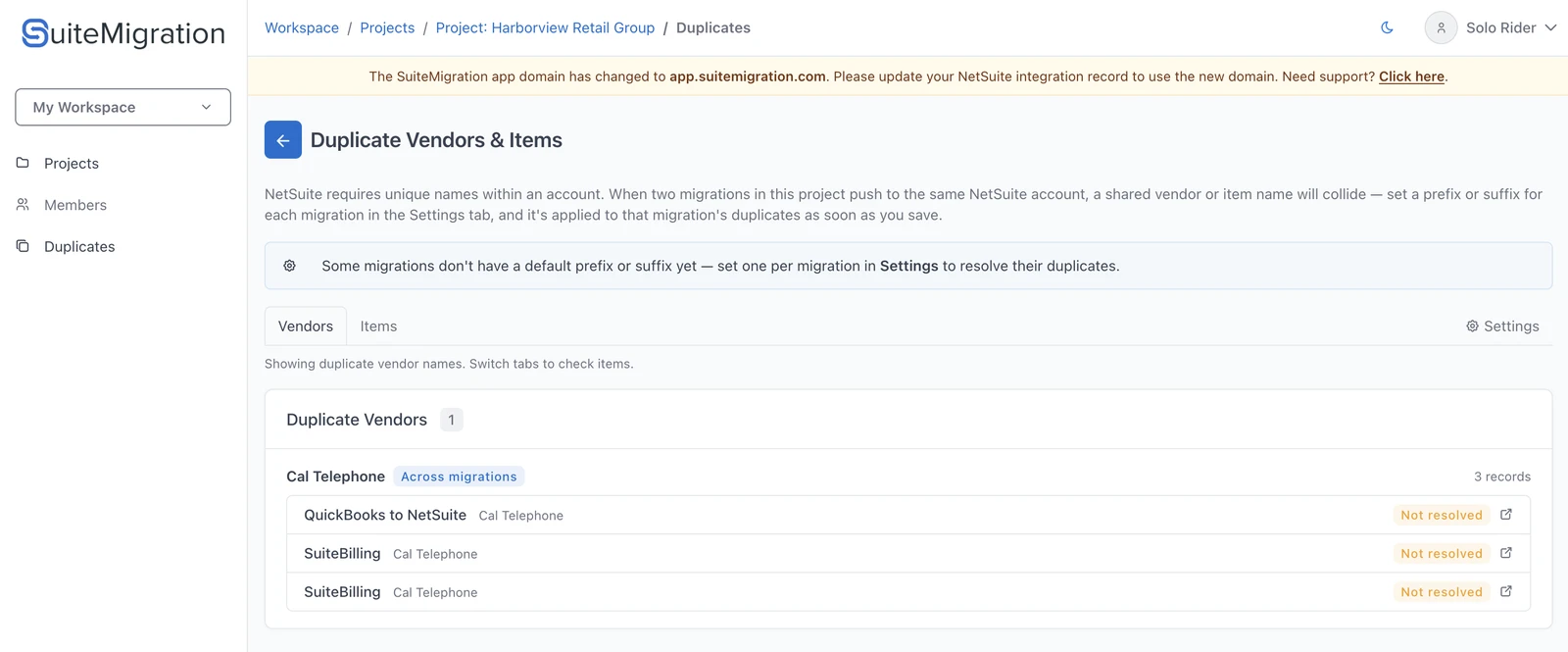
Every colliding name becomes a group, and every record inside it is visible: which migration it came from, its current name, and whether it’s already been resolved.
The fix it applies is still a name, not a merge: a prefix or suffix on the name sent to NetSuite, never on the source record itself. You set it once per migration, and it applies to every one of that migration’s duplicates.
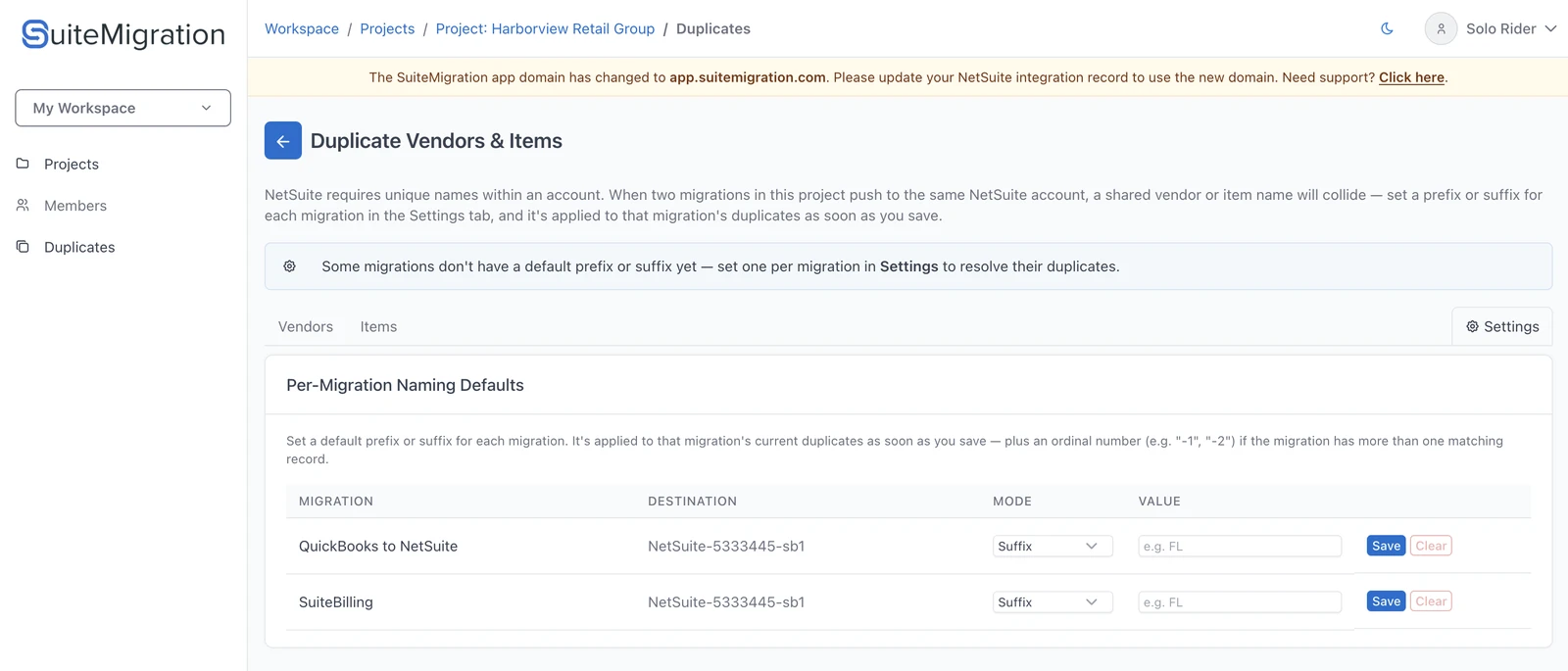
One naming default per migration, waiting to be set. Save applies it immediately to that migration’s current duplicates.
If one migration contributes two records to the same collision, a single shared suffix on both would only create a new collision between them, so an ordinal is appended automatically ("SubA1", "SubA2"), and stably, so adding a third record later doesn’t renumber the first two.
The part that’s genuinely tedious to do by hand is keeping one name straight in three places: what you saw when you chose it, what actually got sent to NetSuite, and what reconciliation later compares against. If those three ever disagree, you get a mismatch on a name nobody picked, which looks exactly like a failed migration and takes far longer to explain than to prevent.
Either way, the shape of the answer is the same
By hand or automated, you’re aiming at the same end state: two distinct records in NetSuite, each traceable back to exactly one QuickBooks source record, and a reconciliation that can prove both subsidiaries tie out on their own. Whether those two records ever become one vendor is a separate decision, one you can make a month later, from inside NetSuite, with both histories in front of you, instead of at the moment an import row turns red.
Frequently asked questions
Why do vendor and item names collide when I bring multiple QuickBooks companies into one NetSuite OneWorld account?
Because NetSuite OneWorld shares vendor and item records across subsidiaries instead of giving each subsidiary its own separate list. A vendor's entity name and an item's name/number both have to be unique across the whole account, not per subsidiary, so two subsidiaries that never interacted in QuickBooks can still collide the moment both are imported into the same NetSuite account.
What error does NetSuite show for a duplicate vendor or item during CSV import?
A vendor throws "There is already a vendor using that entity name. All vendors must have a unique entity name." An item throws "There is already an item with that name or name/parent combination." Both are hard rejections: the row is not created, and it sits in the import's error log until you fix it.
Should I merge the duplicate vendor or item into the one NetSuite already has?
No. A shared name doesn't mean a shared identity, and two subsidiaries can have entirely independent relationships with a same-named vendor. Merging folds both transaction histories into one record, and NetSuite's own documentation states that merging vendor records is irreversible. It also blends the vendor's balance and transaction list across both subsidiaries in NetSuite's own view, with no way back.
Can I merge the records later, after the migration is done?
Yes, and that's the safer order. Keep them as separate, distinctly named records through the import, confirm with reconciliation that both tie out cleanly, and only then decide whether they're really the same real-world vendor worth combining in NetSuite. The merge itself is just as irreversible later as it would be during import, so waiting only changes whether you make that call blind or informed.
How do I keep each subsidiary's vendor and item activity separate in NetSuite?
Give each subsidiary's colliding vendor or item a distinct pushed name, a subsidiary code or suffix appended to the original name, instead of reusing an existing record. That keeps each vendor's balance and transaction list in NetSuite scoped to the one subsidiary that actually deals with it, and each record still maps one-to-one back to exactly one source record for reconciliation to check.
How does SuiteMigration handle this instead of doing it by hand?
It runs a project-level duplicate scan across every migration that shares a NetSuite destination, flags colliding vendor and item names automatically, and applies a naming default per migration, with an ordinal appended if one migration contributes more than one record to the same collision. The same naming logic is used for the on-screen preview, the actual push to NetSuite, and reconciliation, so none of them can disagree.
Does resolving a duplicate this way change my source QuickBooks data?
No. The prefix or suffix only changes the name sent to NetSuite. The source record, and its name as shown in reconciliation against the source, stays untouched.