

How to Bulk-Delete Records in NetSuite
NetSuite has no fast native way to delete records in bulk. Here are the real options, native and free third-party, what each one asks of you, and how to run a big delete safely.

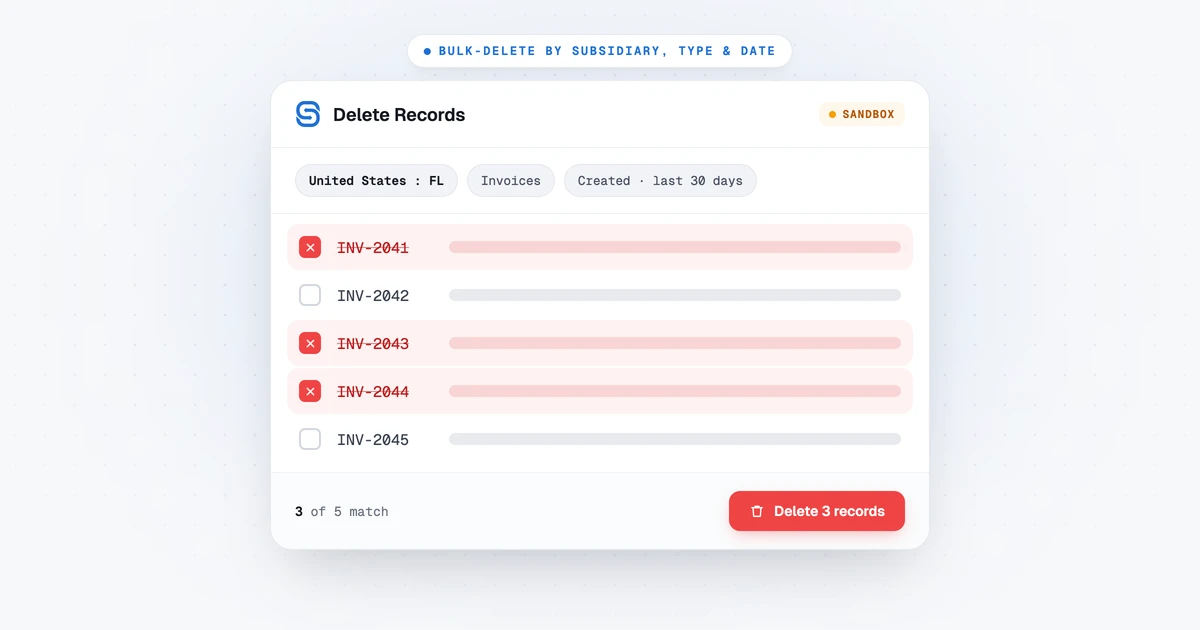
Every NetSuite admin eventually has to clear a large batch of records at once. A sandbox fills up with test data, an import goes in wrong, a training account needs resetting, or a few thousand stale transactions finally get signed off for removal. That is usually the moment you find out NetSuite has no quick, native way to delete records in bulk.
This guide runs through the options that actually exist, native and third-party, what each one asks of you, why the do-it-yourself script tends to give out on large jobs, and how to run a big delete without taking out something you meant to keep.
Your options for bulk-deleting NetSuite records
Six options come up in practice. Three ship with NetSuite, and three are free tools you install yourself.
| Approach | Scales to thousands? | Filters built in? | Deletes in order? |
|---|---|---|---|
| Delete one at a time in the UI | No | No | No |
| Mass Delete via a saved search | Partially | Saved search | Manual |
| A one-off SuiteScript | Yes | Only what you code | Only what you code |
| Techfino MassRecordDeletion | Yes | Saved search | Manual |
| NetSuite for Consultants | Partially | Search based | Reports failures |
| SuiteMigration Admin Toolkit | Yes | Yes | Yes |
The middle column is the difference between picking your criteria in the tool and building a saved search before you can start. The last one is about sequencing. A customer payment has to go before the invoice it is applied to, so a tool that leaves that to you turns one cleanup into several passes in the right order.
Deleting one record at a time in the UI is fine for a handful and hopeless past a few dozen. Most record types have no multi-select delete, so it is open, delete, confirm, repeat.
Mass Delete through a saved search is the closest thing to a native answer. NetSuite’s Mass Update tool can run a delete action against a saved search: build a search that returns the records you want gone, preview the list, then perform the delete. For a single record type with simple criteria it does the job. It slows down on large volumes, and it only ever acts on one saved search at a time, so clearing invoices, then their payments, then the customers in the right order becomes several careful passes rather than one.
A one-off SuiteScript can express any rule you can write in code. The trade is that you rebuild it for the next account, and a naive delete loop runs headlong into NetSuite’s governance limits and stops partway through a big job.
Techfino publishes a free MassRecordDeletion tool that solves the governance problem the same way a properly written script would. Its guide describes a Suitelet paired with a Map/Reduce script, so the deletion runs server-side rather than in a browser tab. It takes its targets from a saved search, so you build and review that search separately, and the version its documentation covers leaves the deletion order to you.
NetSuite for Consultants is a Chrome extension, so there is nothing to deploy into the account at all. Its listing describes a batch action that deletes every record a search returns, taking either a saved search or an ad hoc one built in the extension, with a confirmation showing the record count and types, then progress and a Stop control as it works. It deletes one record at a time from the browser and reports NetSuite’s failure reason for each one it cannot remove.
Two more are worth a look if they fit your case. Tavasca advertises a free Suitelet that gates deletion behind a saved-search naming convention and shows a count before you submit. NetSuite Utils lists a transaction tree of dependent records that you can mass-delete from. Neither documents a cleanup scoped to one subsidiary across entities and transactions in a single job.
Third-party capabilities above are as each tool documents them in the listings and repositories linked here, not independently tested. The Admin Toolkit page sets the options side by side.
A tool with its own filters, rather than a saved search, is what answers a request like “delete every invoice created in the last 30 days for this one subsidiary, but leave the ones with a blank External ID alone” without a search to build first or a running order to work out.
Why a hand-rolled script runs out of room
This is the part that catches people out the first time a quick cleanup script stops at record 800 of 40,000.
NetSuite limits how much work a single script execution can do before it cuts it off. That is the governance model, measured in usage units, and a plain search-and-delete loop spends its budget and halts, leaving the job half finished with no clean way to pick up where it stopped.
A Map/Reduce script gets around this by design. Each invocation gets its own budget instead of sharing one, and the size depends on the stage: 1,000 units for a map call and 5,000 for a reduce call. That is why a tool that does its deleting in the reduce stage has the most room to work with. Separately, once a job passes 10,000 units the system ends it gracefully and creates a new one to carry on, which Oracle calls yielding. So rather than one execution trying to finish 40,000 deletes and dying, the job becomes many short executions that each stay under the limit. If you build your own tool, this is the pattern to reach for. A scheduled script gets 10,000 units for the entire run, and a user event script 1,000.
Deleting safely, because it is permanent
However you do it, a bulk delete in NetSuite cannot be undone. There is no recycle bin. That makes a few habits worth keeping.
Scope the delete tightly, by subsidiary, record type, and date, so it cannot stray into the wrong entity or period. Know the exact count and criteria before you run it, rather than trusting a rough estimate. Run it in a sandbox first, every time, and only point it at Production once you have watched it behave. And keep cascades in mind: removing a Customer can take its sub-customers, contacts, and linked relationships with it, so more records can disappear than the number you set out to delete.
Whatever tool you use should make all of that easy rather than leaving it to you to remember.
The tool we built for it
We hit this constantly in our own migration work. Every sandbox dry run left test data behind that had to come out before the next one, and every option above meant writing a saved search for each pass first. So we built a tool for it and released it for free: the SuiteMigration Admin Toolkit.
It is a NetSuite Suitelet and Map/Reduce utility that deletes records by subsidiary, record type, date range, and External ID, combining those filters so only the records that match every one are removed. Before anything runs you get a plain-English preview of exactly what will go, the deletion executes as a background Map/Reduce job so it does not time out, and a concurrency guard stops two admins kicking off overlapping deletes. It covers 22 record types on their own or in bulk groups, and it is built only on standard NetSuite modules, so nothing leaves your account.
Subsidiaries only exist on NetSuite OneWorld. On a standard account the Subsidiary field is not shown and is not required, and every other filter works exactly the same way.
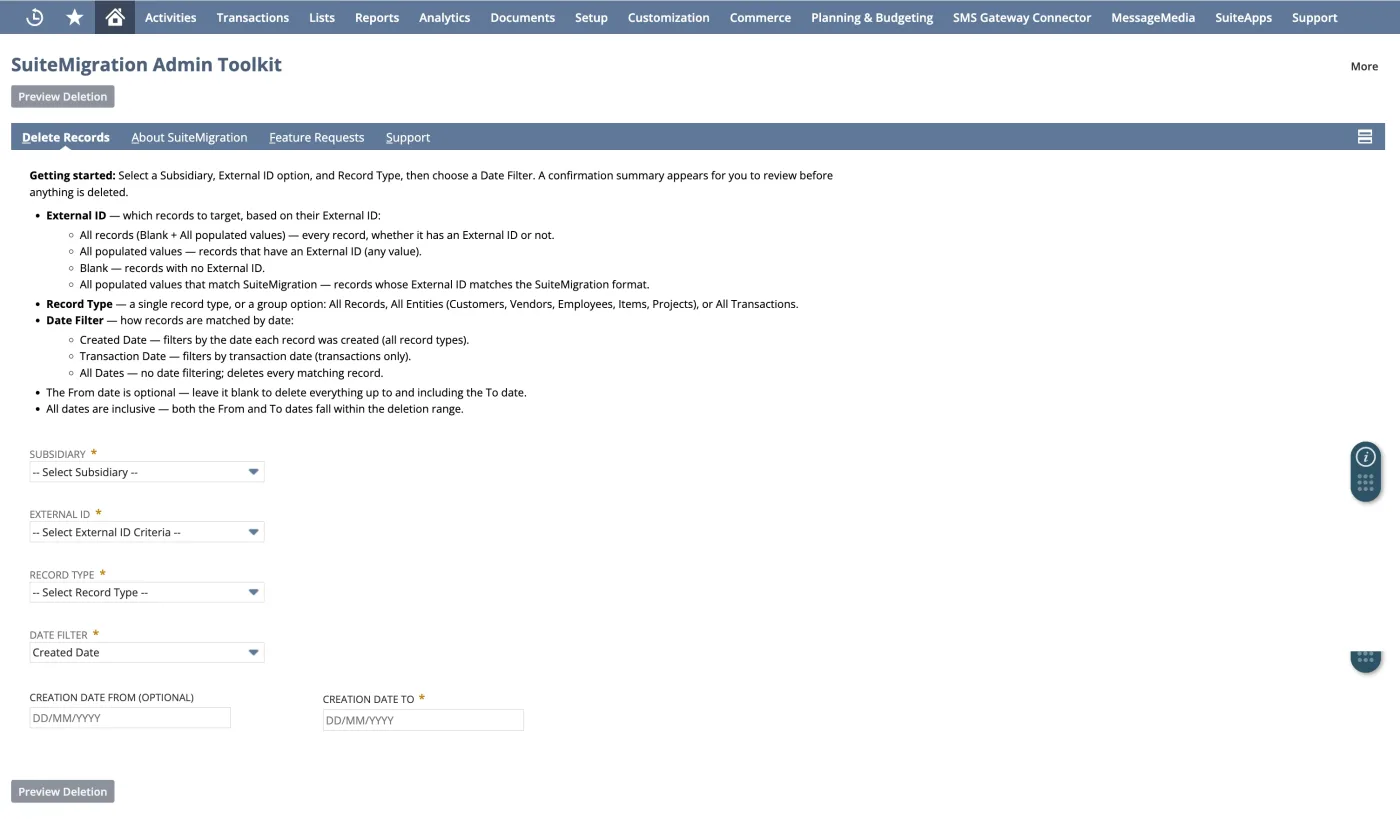
Because it is built around the governance model above, it works through tens of thousands of records in one job. And because every deletion is previewed, and on OneWorld locked to a single subsidiary, it is hard to fire by accident.
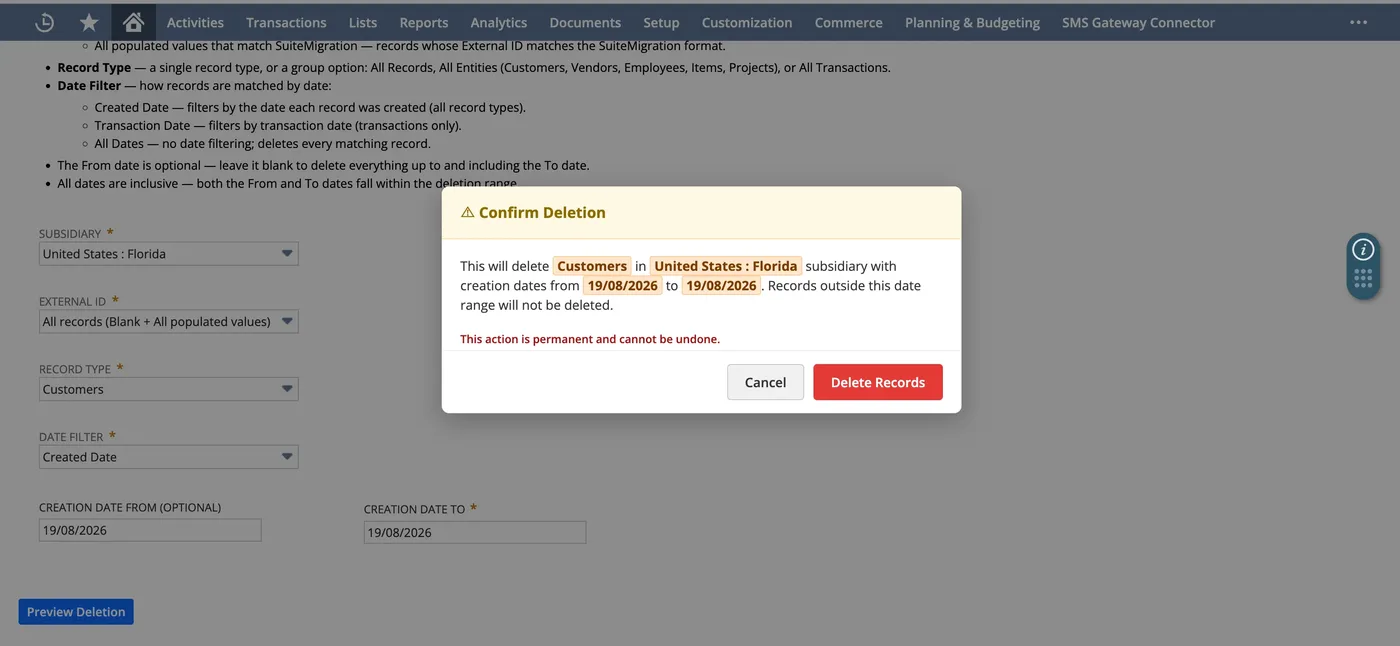
It is free for your own org and for client work, and it installs in about 15 minutes. The full feature list, setup steps, and download are on the Admin Toolkit page and the GitHub repository, and the deployment guide has the exact IDs and a troubleshooting table.
Frequently asked questions
Can you mass-delete records in NetSuite?
Not through a single native feature at scale. NetSuite's Mass Update tool has a delete action you point at a saved search, which works for one record type with simple criteria, but it is limited to one search at a time and slows down on large volumes. For thousands of records or layered rules, admins use a SuiteScript, a free third-party tool, or a purpose-built Map/Reduce tool.
How do I delete thousands of records in NetSuite without the script timing out?
A single script execution has a governance limit, so a plain delete loop stops partway through a large job. A Map/Reduce script avoids it: each call runs with its own usage budget, 5,000 units for a reduce call, and the job yields to a fresh execution once it passes 10,000 units, spreading the work across many short runs. That is the model the free SuiteMigration Admin Toolkit uses.
How do I clear test data out of a NetSuite sandbox?
Scope the delete to the sandbox subsidiary, pick the record types (or an all-transactions or all-records group), optionally add a date range, preview the count, and run it. A Map/Reduce tool like the Admin Toolkit does this in one background job. The manual alternatives are a Mass Delete saved search per record type, or a one-off script.
Is it safe to bulk-delete NetSuite records?
Only if you treat it as final, because it is. There is no undo. Scope precisely, preview what will be removed, and test in a sandbox before Production. Deleting a parent record can cascade to its sub-records, so more can go than you targeted.
Are there free tools for bulk-deleting NetSuite records?
Several. Techfino publishes a free MassRecordDeletion Suitelet and Map/Reduce pair that takes its targets from a saved search. NetSuite for Consultants is a Chrome extension that deletes the records a search returns, one at a time from the browser. The SuiteMigration Admin Toolkit is a free Suitelet and Map/Reduce utility with its own subsidiary, record type, date and External ID filters. Tavasca and NetSuite Utils advertise free deletion tools as well.
Does NetSuite have a built-in bulk-delete tool?
There is Mass Delete through a saved search for simple cases, but nothing native that scales to tens of thousands of records with layered filters, and Oracle does not publish a dedicated bulk-delete app. Admins fall back to SuiteScript, or one of the free tools built for the job: Techfino's MassRecordDeletion, the NetSuite for Consultants extension, Tavasca, or the SuiteMigration Admin Toolkit.